
How to Find the Last Purchase Date for a Part in Fishbowl Inventory
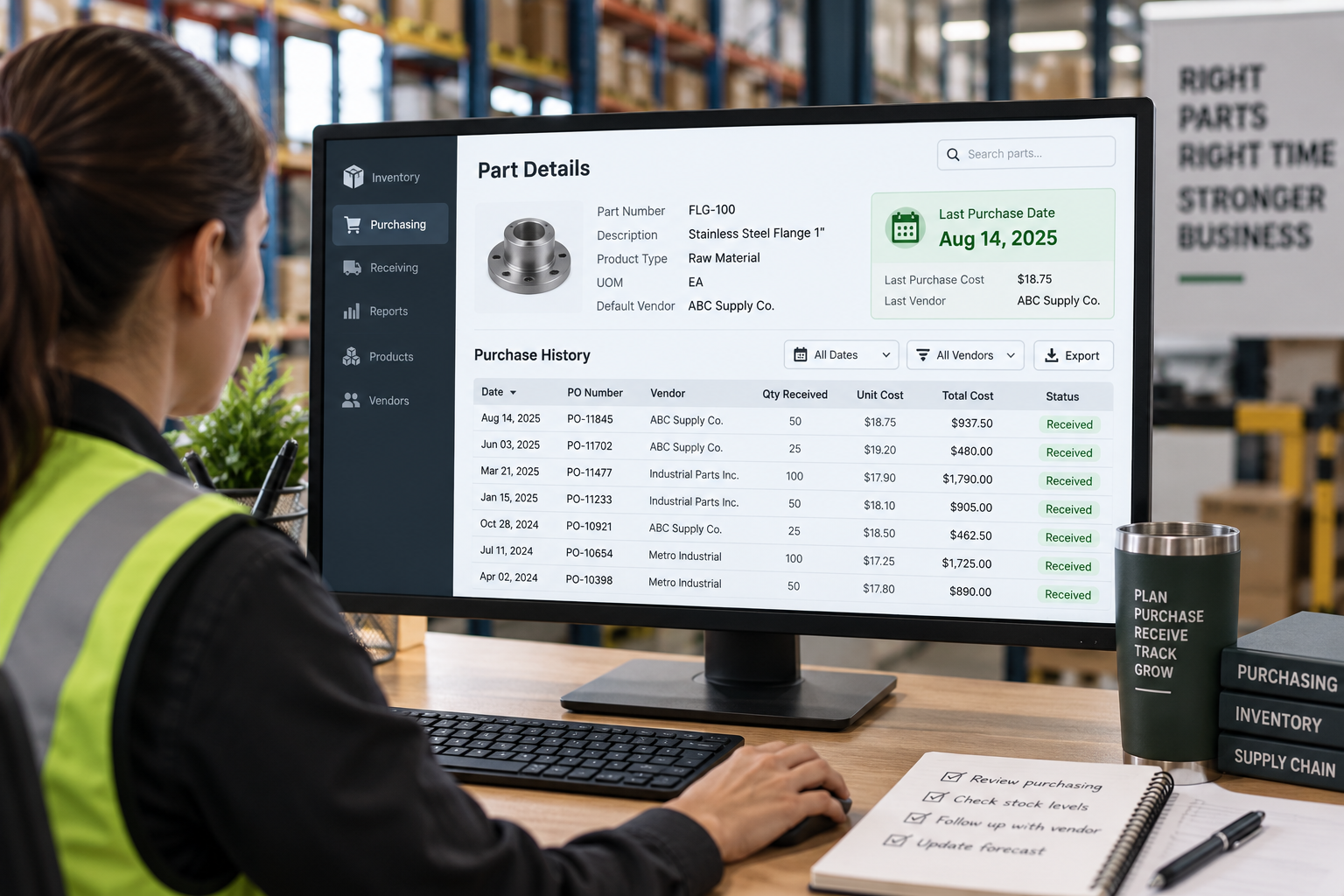
Fishbowl Inventory contains detailed purchasing history, but a simple question such as “When did we last buy this part?” is not always answered in exactly the format a user needs.
A buyer may want to review slow-moving parts, identify items that have not been purchased recently, compare purchasing activity across hundreds of parts, or add the most recent purchase date to a management report.
The information is generally already in Fishbowl. The challenge is identifying the correct purchasing record and presenting the latest date in a useful way.
What Does “Last Purchase Date” Actually Mean?
Before building the report, it is important to define what the date should represent.
Depending on the business question, “last purchase date” could mean the most recent date a purchase order was created, issued, received, or completed.
Those dates answer different questions.
If the goal is to understand when the company most recently ordered a part, a purchase-order date may make sense. If the goal is to understand when inventory was actually received, the receiving date may be more useful.
Defining this first prevents a report from returning a technically correct date that does not answer the real business question.
Why the Answer May Not Be Obvious in a Standard Report
Fishbowl standard reports can provide extensive purchasing information, but they are usually designed to show transactions rather than return one summarized “last purchase” value for every part.
A single part may appear across many purchase orders and receipts.
What the user often wants instead is something like:
Part Number | Description | Last Purchase Date
That requires Fishbowl to look across the related purchasing history, identify the most recent qualifying transaction for each part, and return only that date.
This is a good example of a simple business question that may require a slightly different reporting approach.
Using a Custom Report
A custom Fishbowl report may be appropriate when users need to run this information regularly inside their normal reporting workflow.
The report could show each part together with its most recent purchasing date and other useful fields such as description, vendor, cost, quantity, product information, or inventory status.
Filters could also be added so the user can narrow the results to a particular part, vendor, location, date range, or category.
Using SQL to Find the Most Recent Purchase
A SQL query can be particularly effective for this type of request.
Conceptually, the query identifies all relevant purchasing records for a part and then selects the maximum qualifying date—in other words, the latest date found.
The result can then be grouped by part so each part appears only once.
This makes it possible to produce a list containing hundreds or thousands of parts while still showing only the latest purchasing date for each one.
The exact tables and fields used depend on how the business defines “purchase date” and which purchasing event is being measured.
Useful Ways to Extend the Report
Once the last-purchase date is available, the same dataset can often answer additional purchasing questions. For example:
Which parts have not been purchased in the last 6 or 12 months?
Who was the most recent vendor?
What was the last purchase cost?
How much was ordered or received on the most recent purchase?
Which parts have purchasing history but no recent activity?
Which parts have never been purchased?
How does the last purchase date compare with current quantity on hand?
These additions can turn a simple lookup into a useful purchasing or inventory-management tool.
Why Last Purchase Date Can Be Useful
The value of this information is not really the date itself.
It can help purchasing and inventory teams identify unusual activity, review dormant items, investigate stocking policies, prepare vendor discussions, or understand whether an item is still actively being replenished.
It can also be combined with inventory quantity, sales activity, lead time, cost, or other Fishbowl data to provide more context.
Watch for Parts With No Purchase History
A useful report should also account for parts that do not have a matching purchase record.
Some items may be manufactured internally, created recently, imported from another system, or simply never purchased.
Those records should normally remain in the report with a blank or clearly identified last-purchase date rather than disappearing entirely.
That distinction can be important when management is reviewing the complete part list.
Start With the Question, Not the Query
As with most Fishbowl reporting projects, the SQL itself is only part of the solution.
First determine what the user actually means by “last purchased,” which parts should be included, and what other information is needed alongside the date.
Once those requirements are clear, the underlying Fishbowl data can usually be organized into a much more useful report.
Need Purchasing Information Fishbowl Doesn’t Show Clearly?
If the information exists in Fishbowl but the standard reports do not present it in the way your team needs, Financial Fitness can help build a custom report, SQL query, or management view around the business question you are trying to answer.